

For Students, Universities & Educators
The Best Speech-to-Text Software for Students
Write essays faster, capture lecture notes by voice, and get more done with less typing. Compare the two best speech recognition options for Australian students and educators — at student-friendly prices.
Or call 1300 255 900 — Mon–Fri 9am–5pm AEST

Trusted by students and educators at:University of Melbourne·UNSW·University of Queensland·Monash·ANU·+ thousands of students nationwide
See both in action
Watch real-world demonstrations of each solution.
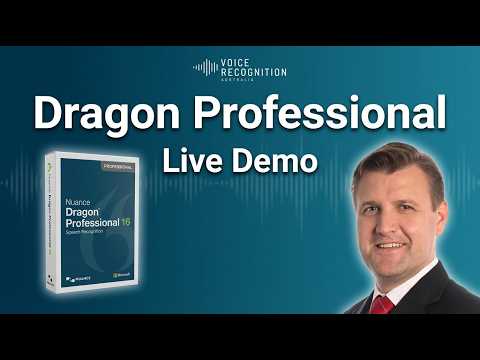
Dragon Professional 16
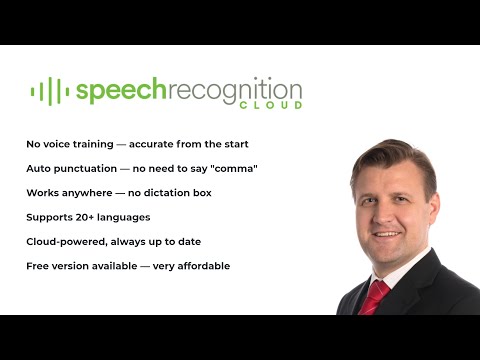
Speech Recognition Cloud
Two great options.
One easy decision.
|
Two great options.
One easy decision.
|
Industry Standard Dragon Professional 16 — Educational/Student
The industry-standard desktop dictation solution at a student-discounted price. Perpetual licence, one-time purchase.
 $545
Perpetual licence, one-time
|
Most popular Speech Recognition Cloud — Personal Edition
Fast, modern cloud dictation. No training required — start speaking immediately.
 $159/year
1-year subscription (was $199 — save $40)
|
|---|---|---|
| Best for | Heavy academic writing — theses, dissertations, long essays, research papers | Everyday dictation — notes, emails, assignments, study summaries |
| Price | $545 one-off — perpetual licence (yours forever) | $159/year subscription — lower upfront cost |
| Ease of use | Requires brief setup and some configuration; voice training adapts to you over time (results vary by speaker) | ✓ Plug in and start dictating — no training, no configuration required |
| Setup time | 10–15 minutes | ✓ Instant — start dictating immediately |
| Works in any Windows app | Most apps — dictation box needed for some | ✓ Every Windows app — Word, Outlook, Chrome, Teams, citation managers |
| Custom vocabulary | Manual word lists for technical/academic terms, plus text templates and command scripting | ✓ Customisable vocabulary — add your own terms |
| Languages | English only — other languages require a separate full-price purchase | ✓ 50+ languages included — great for ESL students & language degrees |
| Install limit | Hard limit of 2 computers maximum per licence | ✓ Unlimited computers for the same individual user’s personal use |
| Australian support | ✓ Direct from Voice Recognition Australia | ✓ Direct from Voice Recognition Australia |
|
Ready to commit?
Pick your path →
|
Buy Dragon Professional 16 (Student) | Buy Speech Recognition Cloud Personal |
Industry Standard
Dragon Professional 16 — Educational/Student
The industry-standard desktop dictation solution at a student-discounted price. Perpetual licence, one-time purchase.
$545
Perpetual licence, one-time
- Best forHeavy academic writing
- Price$545 one-off, perpetual
- Ease of useBrief setup & voice training
- Setup time10–15 minutes
- Works in any Windows appMost apps
- Custom vocabularyManual word lists + templates
- LanguagesEnglish only
- Install limitHard limit of 2 computers
Most popular
Speech Recognition Cloud — Personal Edition
Fast, modern cloud dictation. No training required — start speaking immediately.
$159/year
1-year subscription (was $199 — save $40)
- Best forEveryday dictation, notes, emails
- Price$159/year subscription
- Ease of use✓ Plug in & start dictating
- Setup time✓ Instant
- Works in any Windows app✓ Every Windows app
- Custom vocabulary✓ Add your own terms
- Languages✓ 50+ included
- Install limit✓ Unlimited for personal use
Still have questions? — the most common ones are answered just below ↓
Common questions from students and educators
The questions we hear most often from students, universities, and educators choosing speech recognition software.
Which is better — for writing essays, or for taking notes?
For long-form academic writing — theses, dissertations, lengthy essays — Dragon Professional 16 Educational is the workhorse. It’s a perpetual licence, you own it forever, and it’s built for sustained desktop dictation. For everyday use — notes, emails, assignments, quick study summaries — Speech Recognition Cloud Personal is faster to set up, cheaper upfront, requires no training, and works in every Windows app. Most students find SRC Personal the easier and more affordable choice — there’s even a free edition (up to 20 minutes per month) so you can try it at zero cost before committing.
Is there a free trial or free edition?
Speech Recognition Cloud has a free edition you can use for up to 20 minutes per month at no cost — a great way to try it before subscribing to the Personal edition. Dragon Professional 16 does not offer a free trial or free edition. If you want to try Dragon, the Educational/Student price ($545) is the lowest available — and it’s a perpetual licence, so you own it outright.
Will it work on my university-issued laptop?
Both products require Windows 10 or 11. If your university laptop runs Windows and you have permission to install software, you’re good. Speech Recognition Cloud is lightweight and installs in minutes. Dragon Professional 16 needs a slightly larger install. Note: neither product runs natively on Mac or Chromebook — if that’s your setup, contact us and we’ll talk through your options.
Does it work well with younger or student voices?
Both products are designed to work with a wide range of voices, including students. Many users in their teens and twenties report that Speech Recognition Cloud’s modern AI engine handles their voices very well from the first session, with no training step required. Dragon Professional 16 also works with younger voices and adapts further as you use it. Individual results vary depending on accent, clarity, microphone quality, and the environment you’re in — we recommend taking advantage of the free trial to see how it performs for you.
Can I use this if I have dyslexia, RSI, or other accessibility needs?
Yes — speech recognition is one of the most effective assistive technologies available for dyslexia, repetitive strain injury (RSI), vision impairment, and many other conditions. We supply both products to NDIS participants and have a dedicated accessibility page with more information. Learn more about accessibility & NDIS →
Do you offer institutional or bulk licensing for schools and universities?
Yes. We supply Dragon Professional and Speech Recognition Cloud to Australian schools, TAFEs, and universities at volume pricing — with centralised licensing and ongoing support. Call us on 1300 255 900 or use the form below to discuss your requirements.
How accurate is it really? Will it understand me?
Both products achieve high accuracy out of the box — typically 95%+ for clear speech in a quiet environment. Accents (including Australian) are well-supported. Speech Recognition Cloud requires no voice training and works straight away. Dragon Professional 16 has a brief setup that adapts to your voice. A decent microphone helps in noisier environments, but a laptop’s built-in mic is usually fine to start.
Can I use it for transcribing lecture recordings?
These two products are designed for live dictation — you speaking into a mic and text appearing on screen — not for transcribing pre-recorded lecture audio. For transcribing recordings, we have a separate free tool. Transcribe recorded audio →
What’s the difference between the Educational version and the standard Dragon Professional 16?
Functionally they’re the same software — the Educational/Student version is identical in features to the standard Dragon Professional 16. The only difference is the price: students and educators pay $545 instead of the full $994. You’ll need to verify your student or educator status when ordering.
Why Australian Students & Educators Choose Us
We don’t just sell speech recognition software. We help you pick the right tool for how you actually study or teach — and we’re here when you need help getting it working.
Education-Sector Pricing
Genuine student and educator discounts on Dragon Professional, plus low-cost cloud options that suit a student budget. Bulk pricing for schools and universities.
Setup Help When You Need It
Stuck installing or configuring? We’ll get you up and running over a quick screen-share. No IT department required.
Honest Advice for Your Study Workflow
We’ll tell you which option actually suits how you study or teach — even if it’s the cheaper one.