

What's the best microphone for speech recognition?

Microphone Buyer's Guide
What's the best microphone for speech recognition?
The software rarely limits your accuracy — the microphone does. Here's how to pick the right one for your environment, and stop paying the "productivity tax" of constant corrections.
Our recommended microphones
Our picks for each environment, with this month's specials first.
On special



Wired headset · Stereo
$100 offEPIC 502 Addasound Stereo USB Headset
$159$89
Desktop · Hands-free
SpeechWare 6-in-1 TableMike
$569$469
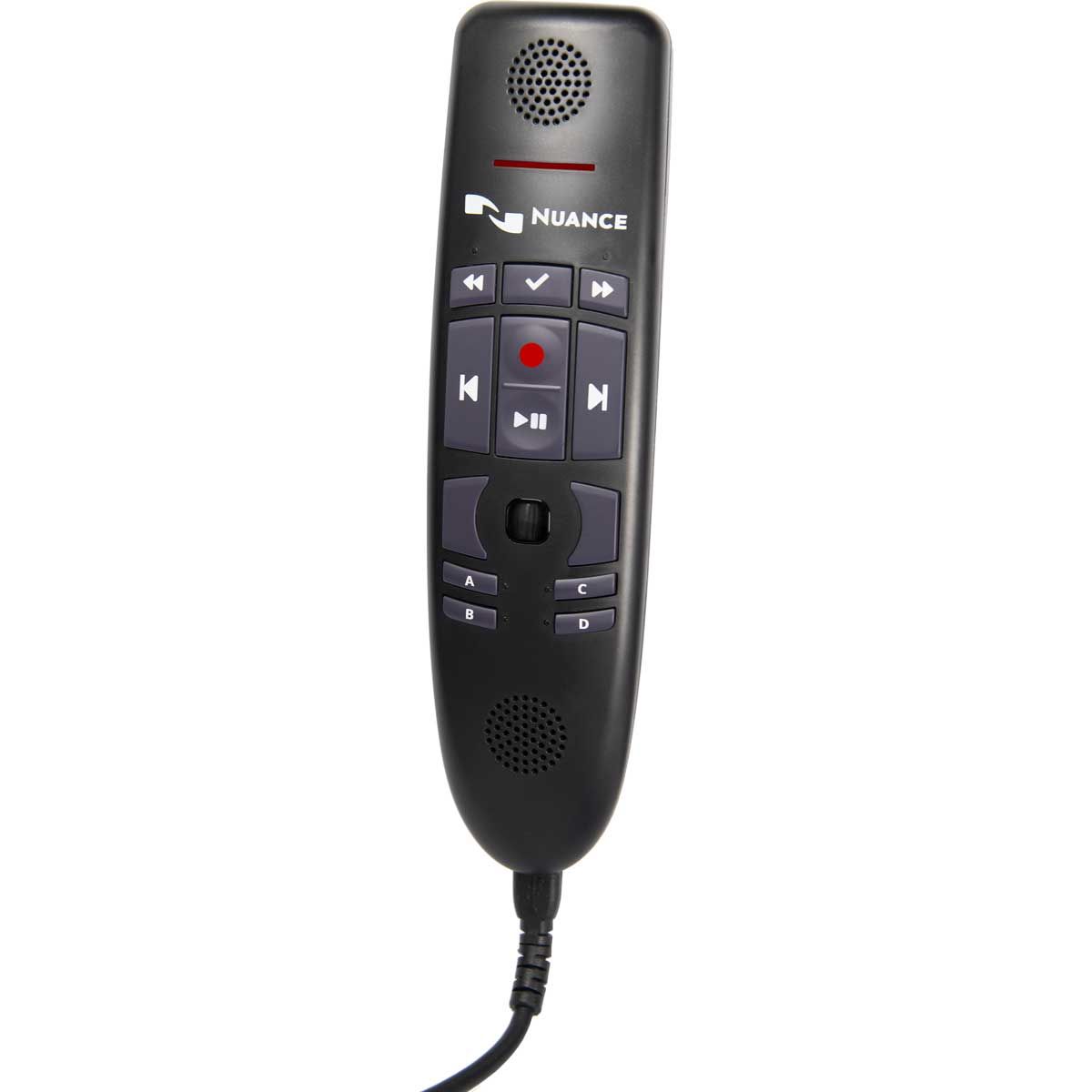
Handheld · Clinical & legal
$100 offNuance PowerMic 4
Desktop · Hands-free
$100 offSpeechWare 3-in-1 TableMike
$469$369
Desktop · Portable
SpeechWare TravelMike
$559$459
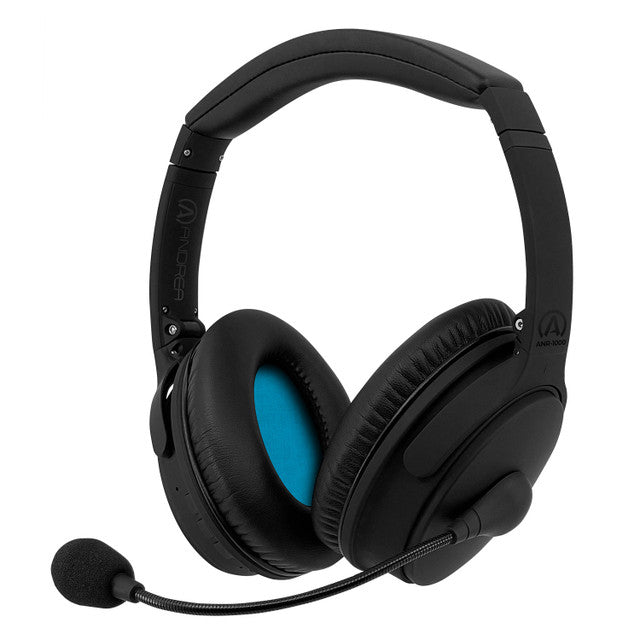
Wired headset · Best seller
Andrea NC181-VM USB Headset
If you dictate into a laptop mic, a webcam, or a cheap headset, you're paying a productivity tax every day — you just don't see it on the balance sheet.
Most professionals run at 90–95% accuracy and assume that's fine. It isn't. At 95% you still correct one word in twenty. Every correction breaks concentration and pulls you from thinking to editing. Across a working year that's more than a full week lost — and it costs far more than any professional microphone.
In 27 years deploying speech recognition into the High Court of Australia, the ATO and major universities, I've seen the same pattern: the software gets blamed, but the microphone is the real issue.
Compare the form factors
| Microphone type | Ideal environment | Voice accuracy | Cost |
|---|---|---|---|
| Wired USB headset | Quiet to moderately noisy office | High & consistent | $ |
| Wireless headset | Mobile professional workspace | High if configured well | $$ |
| Handheld (professional) | Clinical, legal, high-volume dictation | Very high & stable | $$$ |
| Desktop / boundary mic | A normal private office — no acoustic treatment needed. Less suited to open plan | High with a quality noise-cancelling model | $$$ |
Accuracy is the metric that matters — it determines how much time you spend editing rather than working.
USB beats analogue. Every time.
A common mistake is plugging an analogue mic into a laptop's 3.5mm jack. The built-in sound card is built for consumer audio, not clean speech capture, and analogue signals pick up electrical interference inside the chassis.
A USB microphone converts audio to digital before it enters the computer — a cleaner, more stable signal. For Dragon and speech-to-text, USB should be your default.
- Cleaner signal path
- Consistent 16kHz sampling
- Reduced electrical noise
- Greater driver stability

Wired or wireless?
A wired USB headset gives the most consistent accuracy in most offices — fixed distance, stable gain, no Bluetooth compression, no battery drift. Consistency lets the engine adapt to your voice.
Wireless gives you mobility, but adds variables — compression, interference, battery, latency — that can reduce accuracy if your positioning changes. Test it in your real rooms first.
Mobility is valuable. Stability is essential.
Match it to your environment
Busy emergency department
Constant noise, alarms, movement. Use a professional handheld with push-to-talk and a stable USB connection.
Shared legal suite
Phone calls and keyboards nearby. A wired USB headset keeps distance and gain consistent all day.
Your own office
A normal room with the door shut is all a good desktop mic needs. Models like the SpeechWare TableMike use directional pickup and active noise cancelling to hold accuracy hands-free — no headset, no acoustic treatment.
Open-plan desk
Neighbouring conversations are the hard case. Stay with a wired USB headset here — close mic placement rejects the room far better than any desktop mic can.
44 hrs
Dictate 3,000 words a day at 95% accuracy = 150 corrections daily. At five seconds each, that's over a full working week lost every year to preventable edits — most of them caused by the microphone and the room around it.
Hardware is only half of it
A good microphone improves the signal — it doesn't fix poor correction habits or profile setup. For accuracy that holds under pressure, treat hardware and onboarding as one project. That's why we provide structured speech recognition training.
Want a newer, low-friction option? Speech Recognition Cloud is a system-wide dictation tool with automatic punctuation and a free edition, so you can validate accuracy in your own environment before you commit.
Voice Recognition Australia has supported speech recognition across courts, hospitals, universities and government since 2003. As a Nuance/Microsoft partner, we've seen one truth hold: improve the audio, and accuracy improves, editing drops, throughput rises.
Stop paying the productivity tax
Match the right microphone to your environment and take back the week you're losing to corrections.
Frequently asked questions
What is the best microphone for Dragon speech recognition?
It depends on your environment. In most offices a wired USB headset gives the most consistent accuracy; in clinical and legal settings a professional handheld often delivers the highest stability and throughput.
Can I use a desktop microphone instead of a headset?
Yes. In your own office a quality noise-cancelling desktop microphone such as the SpeechWare TableMike gives you hands-free dictation without acoustic treatment or a quiet room. Open-plan desks are the exception — nearby conversations are better rejected by a close-placed headset.
Are USB microphones better than analogue?
Yes. USB converts audio to digital before it enters the computer, reducing interference from the internal sound card — a cleaner signal and more stable recognition.
Why does my webcam reduce accuracy?
Webcams use automatic gain control, constantly adjusting volume to background noise. That "gain hunting" changes your voice level mid-sentence and reduces recognition stability.
Is 95% accuracy good enough for professional dictation?
No. At 95% you correct one word in twenty. Over thousands of words a day that's hours of lost productivity each year.
Do I need training to improve accuracy?
Hardware improves the signal, but correction technique and workflow discipline matter too. Structured training keeps your profile adapting correctly for long-term accuracy.
Is Speech Recognition Cloud a good alternative to Dragon?
It can be — cloud-based, automatic punctuation, low cost. The real test: run it against your own documents, in your environment, with the right microphone. Start with the free edition.