1300 255 900

Availability: In stock

Availability: In stock

$0.00

inc.GST
Available Products
Dragon Professional 11.5 Government
dragon_government_discount

* Required Fields


Availability: In stock

$0.00

inc.GST
Click here to buy selected product

Consider Dragon (Government) Professional 11 for these reasons


- The Highest Level of  Dragon software - Professional 11 - fast dictation, very powerful features with a massive Australian Vocabulary.
- Start dictating directly instead of typing and see your productivity accelerate. Speech recognition is about saving time and money.
- Complete Microsoft Outlook support with full voice command of email.
- You can and will dictate much faster than you can type. The technology is mature enough now for daily use. It works and its easy to get started.
- More powerful than Dragon Home or Premium Editions. Almost all applications work with Professional.
- Digital Mobile recorder/Dictaphone support - Dictate when out of the office. Transcrible later!
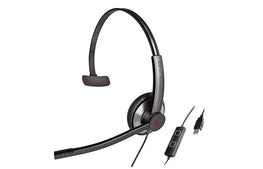
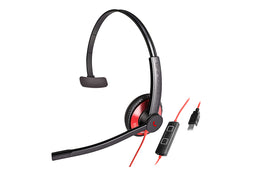
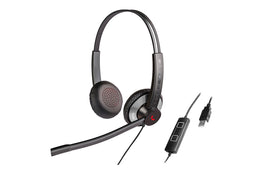
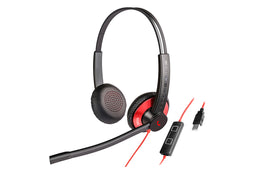
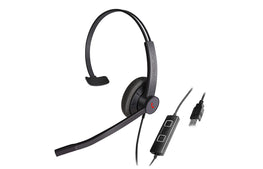
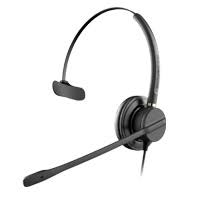
- Dragon Naturally Speaking Professional 11 is most accurate when used with the NC181USB microphone package - much more accurate that the included analogue mic. 


Why choose Dragon  Professional Government  over Dragon Home or Premium


- Maximum power and accuracy. Professional has the largest vocabulary so is more accurate than Home or Premium.
- Professional is optimised for Microsoft Outlook - Dragon Home doesn’t support Excel and Premium only has basic text input with no commands. Professional can do all your email functions by voice. Huge time saver.
- Dragon Home does not support Digital recorders at all. 
- Professional Backup - Easy to backup your user and transfer to new PC. Home Edition can't backup/transfer - you have to start all over again with standard. And Professional has network features to help manage users. Premium doesn't have this.
- Professional has Wireless, Digital USB and super beam array support.
- Professional Includes Dragon Voice Shortcut commands for Web and PC search: "search Google for XYZ," "find website about XYZ" - Powerful commands that are not in Standard.


dragon_government_discount
A PERSONAL ASSISTANT FOR THE PC

With Dragon, users say words and they appear on the computer screen -- three
times faster than typing -- with up to 99% accuracy right out of the box. You can even
personalize Dragon with custom word lists and formatting preferences. Dragon gets
more accurate over time as it learns your word choices and writing style.


MORE ACCURATE THAN EVER BEFORE

NEW! Dragon 11 Professional delivers significantly improved accuracy, reducing
recognition errors by up to 15% over Dragon 10. Plus, it detects hardware resources
and automatically sets up the recommended configuration for optimal performance.


CONTROL YOUR COMPUTER BY VOICE

NEW! More Dragon Voice Shortcuts: Just say what you want to do, and Dragon
does it. In addition to simple commands that create email, schedule appointments,
and search the Web or desktop, now you can use "Search [website] for [xyz]"
commands to conduct specific searches on Facebook.com, MySpace.com, Twitter,
and the Nuance technical KnowledgeBase.
Custom Commands: Dragon works the way you work. Users can create custom
voice commands -- quickly and easily -- to insert frequently used text and/or
graphics for dramatic time savings.


BE MORE CREATIVE AND PRODUCTIVE -- ANYWHERE

Dragon keeps up with users' brains, instantly transforming ideas into text -- with no
typos. So you can focus on content instead of typing and spelling for higher quality,
more detailed results. For optimal convenience, you can:

- Stand up, pace, or cross the room -- there's no need to be tethered to your PC
when you use Dragon with a wireless headset.

- Dictate notes using a digital voice recorder to capture thoughts while they're still
fresh in your mind. And training recorders has never been easier!
NEW! Creating a user profile for a digital voice recorder has never been faster or
easier. Plus, Dragon 11 Professional now directly accepts more audio file formats.


EASY TO USE

NEW! The Dragon Sidebar allows users to discover and access key
commands and tips by putting them in one convenient desktop location. Its content
automatically changes depending on which window is currently active.

- Dragon Professional works with just about any Windows® application -- Microsoft®
Word, Excel®, Outlook®, Internet Explorer®, OpenOffice® Writer, and more -- making
the applications you rely on every day faster and easier to use.


SYSTEM REQUIREMENTS

The install process checks that your system meets the minimum requirements; if they are not met, Dragon NaturallySpeaking will not be installed.


o CPU: minimum 1 GHz Intel® Pentium® or equivalent AMD processor or 1.66 GHz Intel® Atom® processor.
We recommend 1.8 GHz Intel Dual Core™ or equivalent AMD
processor.

(IMPORTANT: SSE2 instruction set required).

Processor Cache: minimum 512 KB. We recommend 2 MB.


o Free hard disk space: 2.5 GB


o Supported Operating Systems:
Microsoft Windows 7, 32-bit and 64-bit.
Microsoft Windows Vista SP1 and SP2, 32-bit and 64-bit.
Microsoft Windows XP SP2 and SP3, 32-bit only.
Windows Server 2003 and 2008, SP1, SP2 and R2, 32-bit and 64-bit.


o RAM: minimum 1 GB for Windows XP and Windows Vista, and 2 GB for Windows 7 and Windows Server 2003/2008.
We recommend 2 GB RAM for Windows XP and Windows Vista,
and 4 GB for Windows 7 and Windows Server 2003/2008 64-bit.


o Microsoft Internet Explorer 6 or higher (free download at
www.microsoft.com)
.


o High Quality USB Headset (eg. Andrea NC181VM USB) or Creative® Labs Sound Blaster® 16 and equivalent sound card
supporting 16-bit recording. If opting for a sound card (rather than USB headset) option you will also need a high quality analogue headset.


o DVD-ROM drive required for installation.


Note: An internet connection is required for product activation
(a quick anonymous process)